About this article
MATERIALHAUS wrote this article, and our own product is on the list. So each site’s terms were read from its own licence or pricing page, and the table names its source. Checked on 26 October 2026. Prices and licences change; read the licence page of the day before using a texture in paid work.
Three questions before a free texture
First, the licence: may you use it in paid work, on a competition board or in a model handed to a client, must you credit the source, and may you pass the file on? “Free to download” and “free for commercial use” are not the same thing.
Second, real size: how many square metres does the picture show? A brick texture of unknown size comes out as half-size or double-size bricks in the model. Third, the maps: is there only a colour image, or also normal, roughness and height maps? Those decide how the surface meets the light in a render.
Free libraries: Poly Haven and ambientCG
Every Poly Haven texture is CC0: it may be used commercially, needs no credit and may be redistributed. Scans come with PBR maps, and most pages state the real size. ambientCG also releases all its content as CC0; it is a large PBR library, though not every texture states its physical size.
These two are the cleanest start for commercial work with no licence worry. The thing to watch is size: where none is given, you decide it, and you should record what you decided.
Free with conditions: ShareTextures, Textures.com, Fab
ShareTextures gives its textures for commercial use without credit, but its licence is not plain CC0: by its own page they may not be redistributed on other sites, in plug-ins or in collections, and some content is for Patreon supporters.
Textures.com has a free section, but most of the library costs credits; plans start at US$5 a month and define a separate commercial licence for small businesses. Megascans moved to Epic’s Fab store; in its October 2024 announcement Epic said most of that content would be paid from 2025 and some would stay free. Check each Fab asset’s licence on its own page.
Pattern tools: Architextures and MATERIALHAUS
Libraries give you a finished surface; pattern tools draw the module, the joint and the layout at the size you type. Creating a texture on Architextures is free; by its Pro page, high-resolution downloads, PBR maps, CAD and Revit hatches and commercial use come with a Pro account.
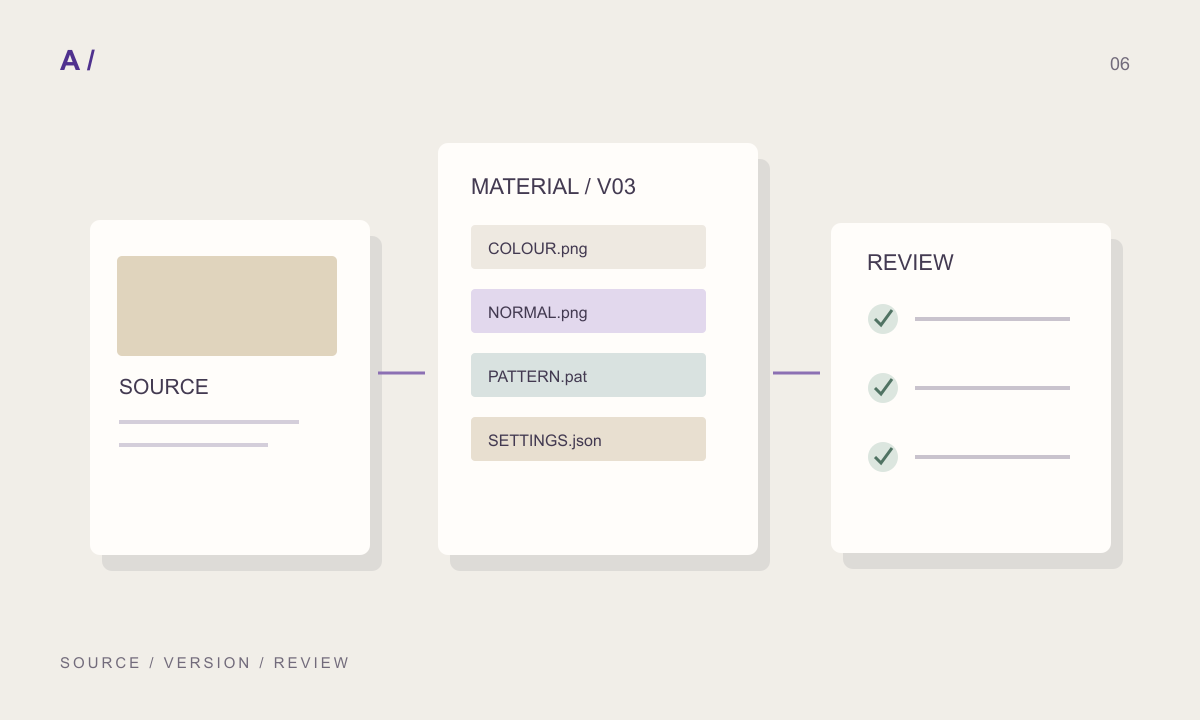
On MATERIALHAUS the editor and previews are free; the free plan downloads PBR maps at 1K, Plus at 2K and Pro at 4K. Every texture carries its size in millimetres, and Revit and AutoCAD hatch patterns (.PAT) are in a separate free library that needs no account. The photographed and scanned surfaces in the collection come from ambientCG and Poly Haven under CC0.
Which one when
For a ready natural surface (stone, concrete, plaster, wood) where size matters, look at Poly Haven first: a scan with a stated size lands in the model at the right scale. For more choice, add ambientCG and set the size yourself.
When a tile, brick or parquet has to be a given size and layout, use a pattern tool rather than a library: a 600 × 1200 mm tile with a 3 mm joint in a third offset is better drawn than searched for in photographs. If the drawing also needs a hatch of the same material, it helps when the texture and the hatch come from the same numbers.
Free texture sources (26 October 2026)
| Source | Licence | What is free | Maps | Real size |
|---|---|---|---|---|
| Poly Haven | CC0; commercial use, no credit needed | The whole library | Scans and PBR | Stated on most |
| ambientCG | CC0; commercial use, no credit needed | The whole library | PBR | Not on every texture |
| ShareTextures | Custom CC0-based licence; no redistribution | Most; some for Patreon supporters | PBR | See the texture page |
| Textures.com | Own licence; commercial use with plans | A selection of free content | Photos and PBR | See the texture page |
| Fab (Megascans) | Fab licence | Some; most paid since 2025 | Scans and PBR | Scan data |
| Architextures | Own licence; commercial use with Pro | Creating textures; high resolution, PBR and hatches with Pro | PBR (Pro) | Typed in millimetres |
| MATERIALHAUS | Collection pictures CC0 | Editor, previews, 1K maps, .PAT library | PBR; Revit and AutoCAD .PAT | Millimetres on every texture |
Before you hand off
- The licence allows commercial use; whether it asks for credit is known.
- The real area the texture shows is known or recorded.
- Normal, roughness and height maps were checked for.
- The resolution downloaded is enough for the camera’s closest view of the surface.
- The hatch on the drawing and the texture in the render come from the same size.
Frequently asked questions
Can a CC0 texture be used in a commercial project?
Yes. CC0 means the author waived their rights; the texture may be used commercially, changed, and needs no credit. “Custom” CC0-based licences may add restrictions, so read their pages separately.
Why does a free texture look the wrong size in a render?
The picture arrives in pixels, and it goes onto the model without knowing how many metres it shows. Use the size the site states, or decide one and record it.
Can a texture without PBR maps be used?
It can, but the light reads flat on the surface. Normal and height maps derived from the colour image are a start; they are not as accurate as a measured scan.
References and further reading
Prepared by MATERIALHAUS with AI assistance. Worked dimensions are illustrative; verify construction details and technical product information for your own project.