MATERIALHAUS / SEAMLESS TEXTURE GENERATOR
Seamless texture generator for architects
Make a seamless texture from a photograph, a CC0 scan or a material in the collection, at the size it has on site. Set the module, the joint and the pattern; the editor draws the repeat and its PBR maps in your browser, and the same settings draw the Revit fill pattern.
How it works
- Choose a surface. Upload a photograph, pick a scanned CC0 texture from Poly Haven, a material from the collection, or describe one.
- Give it a size. Type the module’s width and height in millimetres, centimetres, metres, inches or feet, the joint, and one of eleven patterns: stack, running, ⅓ and ¼ stagger, Flemish, random, checkerboard, basketweave, herringbone, hexagon, diamond.
- Check the repeat. The preview redraws as you type. Show it 2 × 2 or 3 × 3 to see where it repeats, and look at the normal, roughness and height maps one by one.
- Download or save. Download the PBR maps as a ZIP, or save the material to your library with its Revit fill pattern, SVG and DXF hatches, ready for the plug-ins.
Start from a material
 Seamless travertine textures
 Seamless marble textures
 Seamless brick textures and bonds
 Seamless tile textures
 Seamless wood and parquet textures
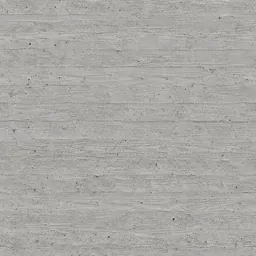 Seamless concrete textures
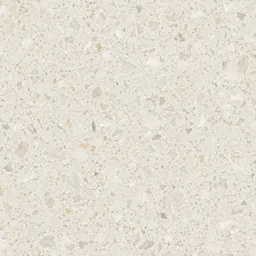 Seamless terrazzo textures
What it keeps true
Real size, not pixels
Every download says how many millimetres one repeat covers, so the texture is mapped at the size it was drawn at.
Measured where it can be
A Poly Haven scan brings its measured height, roughness and occlusion; otherwise the maps are derived from the colour, and the editor says so.
One setting, every output
The texture, its PBR maps and the CAD hatch come from the same module and joint, so the render and the drawing agree.
Questions
Is the seamless texture generator free?
Editing and previewing are free. The free plan downloads the maps at 1K and makes up to ten creations a day; Plus downloads 2K and Pro 4K.
Can I make a seamless texture from a photo?
Yes. The photograph becomes the face of each module, and the joints and the bond hide where one module meets the next. A surface with no joints, such as a poured floor or a render, needs a photo that already tiles, or a scanned texture.
Which maps do I get?
Colour (albedo), normal in OpenGL or DirectX convention, roughness, height, ambient occlusion, bump and metallic, as PNG, with a README that states the real size and the height range.
Does it work with Revit, SketchUp, 3ds Max and Blender?
Yes. A saved material carries a Revit fill pattern (.PAT, model or drafting), and the plug-ins for SketchUp, Revit, 3ds Max and Blender apply it at its real size.